
Before we try to understand what lead management is, we should firstly know what leads are. A business lead is someone who is interested in the product or service that you are selling. Therefore lead management is basically the process of acquiring those leads, interacting with them, tracking them and thereby turning them into potential customer who buys your products.
In a lead management process a set of definitive steps are taken by organizations to engage with leads until they become customers. It includes:
The Lead management system ensures to keeps all your leads, from all various sources in one place, by tracking their activities, and interests. This enables marketing and sales teams to work together on the leads by never missing out any interactions. On the other hand CRM (Customer Relationship Management) systems do the same thing as lead management along with managing other things. They not only manage the complete customer lifecycle from acquiring to conversion, but beyond as well, by retaining the existing customer, find opportunities to up-sell wherever possible.
Therefore our LeadCenter.AI lead management software such as LeadCenter.AI CRM helps to automate the processes of lead management.
Let us understand the different stages in a lead management process in a bit more detail:
The first most important stage is the first stage of identifying and acquiring the business leads. Based on the demographic and behavioral attributes along with the demonstrated interest of the lead, the sales and marketing team can agree upon the buying readiness of the business lead.
After acquiring the leads, the lead tracking software starts tracking the activities and behavior of that lead. The lead management software automates the process of tracking a lead by populating data about the profile’s job title, location, social media profiles etc. It also their online activities like —pages visited, links clicked, resources downloaded and email engagement.
The next step after acquiring leads is to qualify and generate the leads. This can be done by ranking the leads based on their interest in the product or service that you sell, lead’s buying history and their engagement with the company.
You can then generate those qualified leads by creating awareness for your products or services through advertisement, promotional events, PR campaigns, and various B2B and B2C marketing strategies and advertising campaigns.
Scoring Lead:Scoring leads is the carpe diem moment where you seize or in layman terms score your customer. At this stage, the leads are checked to identify if they are worth pursuing which makes them sales-ready leads. Some CRM or Lead Management software gives a score to each lead based on certain key indicators. For example; there are three leads with different job titles, a business owner, a quality expert and an intern, the score for the business owner will definitely be higher than the other two. So the quality score makes it evident that the business owner needs to be scored first. Although we cannot completely ignore the other two leads. But in a way quality and scoring saves time and helps to set the priorities properly to score the lead.
Some leads may not buy your product or service at the moment, but that can very easily change in the future. They are your leads whom you can lead into the nurturing cycle, and later pass it along to sales whenever they become sales-ready.
It is also the process of consistently engaging them across multiple channels by sharing content which interests them. This can be done through email campaigns, SMS or social media platform.
Benefits of using a lead management system
Since in the generation process, we would have gathered enough information, it becomes easy to manage the leads. Otherwise to keep tabs on your leads is a struggle in itself. Also losing a quality lead in the shuffle can be really annoying. This is where the lead management software becomes very valuable as it closely tracks your who are closer to conversion thereby making a better use of your time and money.
Personalizing customer interactions involves providing the customer a center stage and sending them tailor-made content based on their behaviors and attributes. These data were previously gathered by the lead management software right from the outset during the lead generation process. The discussions made with your leads can be stored for future reference, thereby enabling you to personalize customer interactions.
Transparency is very important in lead managementprocess. It is required to ensure a cleaner and healthier work culture in your company. The CRM software is automated software helps to assign the leads to the sales persons in a transparent manner. This helps to overlook the issue of managing workload at the workplace as well as personalization.
Nurturing the potential leads that are likely to convert is a significant process now or in the future that becomes easier to handle with lead management software. Leads that are nurtured or educated by email marketing or campaigning are have more possibility to convert and may end up buying, than those leads that are not nurtured.
Any type of automated process which here refers to the lead management software helps in saving a lot of time. It helps you to automate routine tasks thereby leaving you with more time to pursue the new leads and convert them into an actual business.
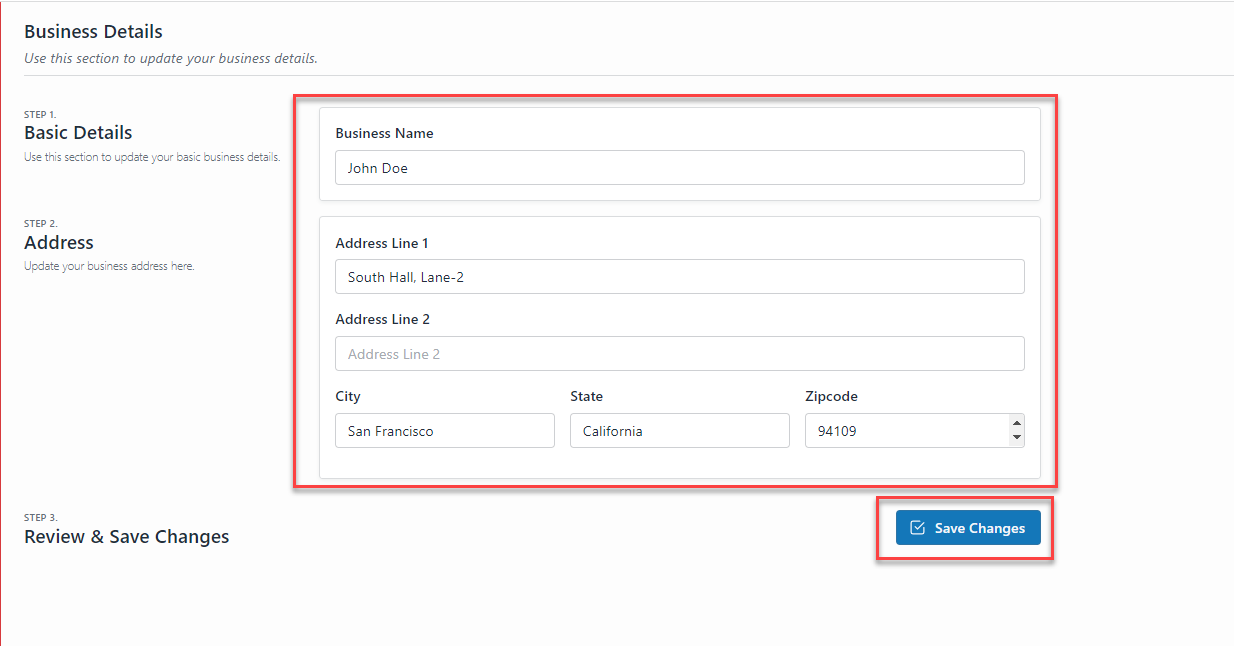
LeadCenter.AI basic settings section allows users to update their business details and related information.
To add the business details information, do the following;
| Field | Description |
| Business Name | Enter the name of your business for example; LeadCenter.AI |
| Type | Select the type of Business ; Individual or Business( where there is multiple partners involved in the business) |
| Line of Business | Select the line of business from the drop-down list. |
| Your Website | Enter your business website for example; https://www.example.com |
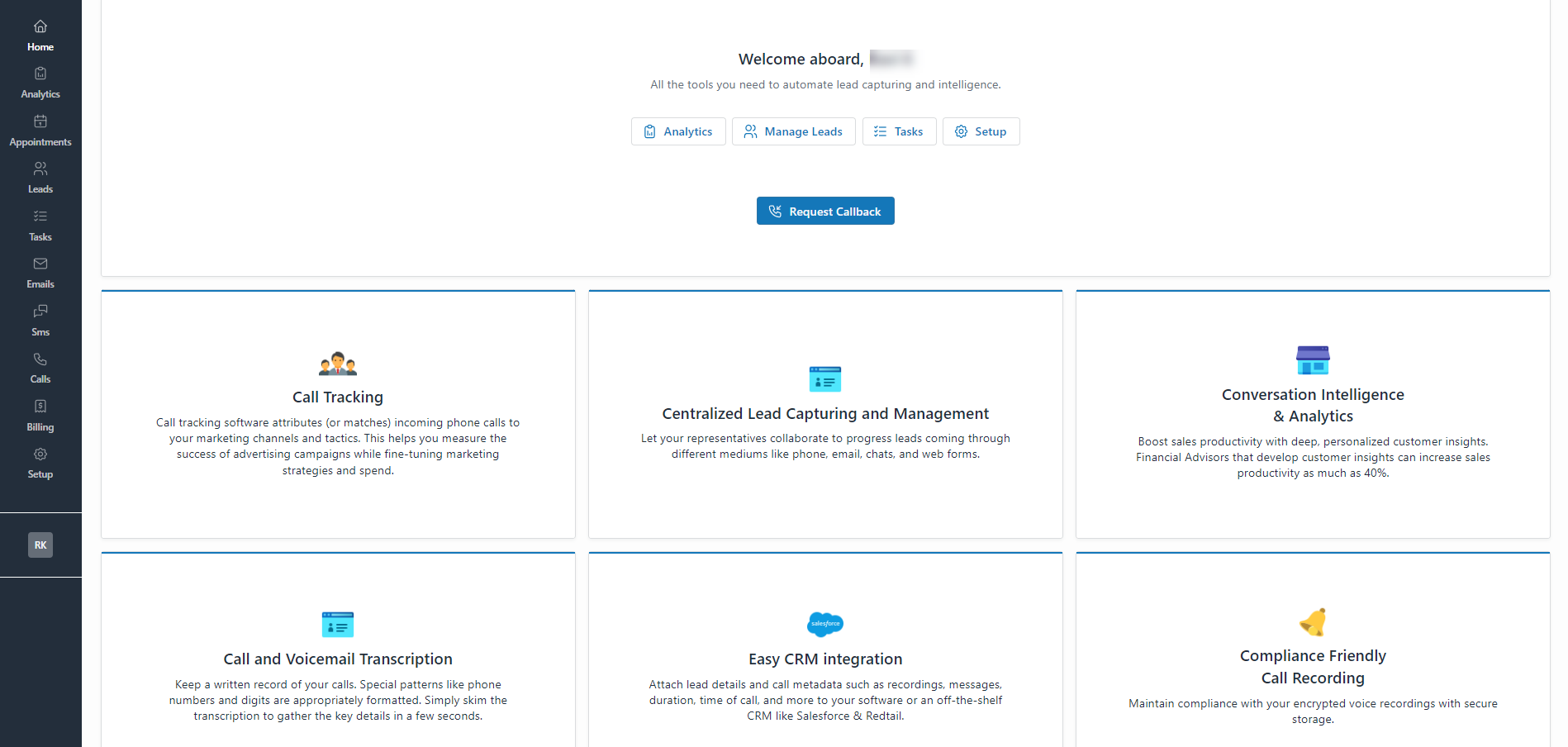
The LeadCentre.AI Dashboard or Home page provides a summary of all the LeadCentre.AI features like Call Tracking, Centralized Lead Capturing, Conversation Intelligence & Analytics, Call and Voicemail Transcription, Easy CRM integration, Compliance Friendly Call Recording, and Digital Marketing Services.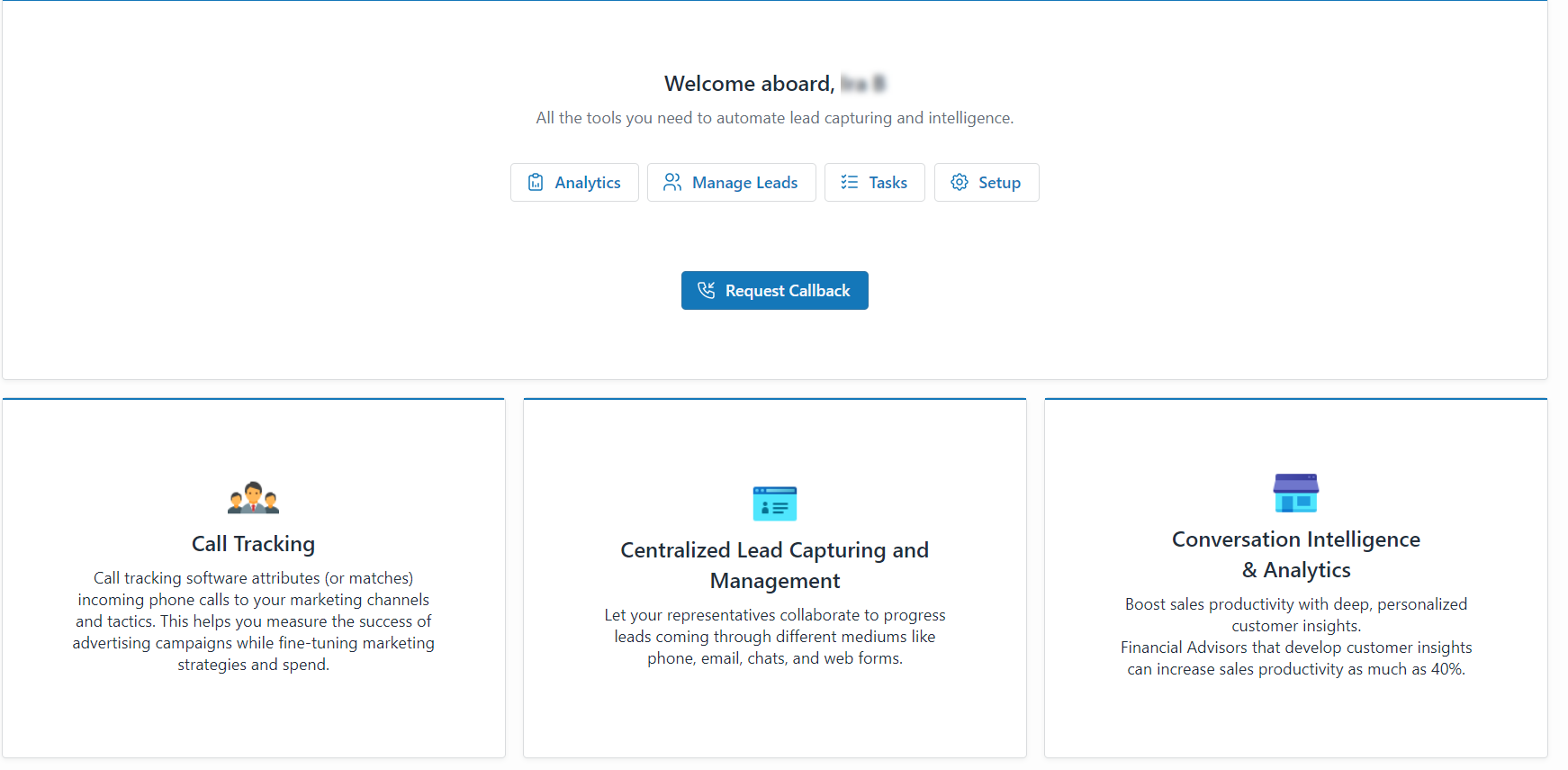
The LeadCenter.AI Home page provides shortcuts to launch the tools required to automate lead capturing and intelligence.
To launch the tools click on the button.
The LeadCenter.AI Analytics section gives us insight into lead analytics like the number of leads generated per day, week, or month.
It also displays the Leads by Source, Stage, and Medium in a pie chart diagram. For more information about Analytics, see Lead Analytics.
The LeadCenter.AI Lead Management system allows you to set the leads, stages, and sources. You can also manage leads from the Store Manager, and send Emails and Messages to leads. For more information about managing leads, see Introduction to Lead Management System (CRM).
The LeadCenter.AI Tasks section allows the user to create and manage tasks. For more information about creating and managing tasks, see Managing Tasks.
LeadCenter.AI Setup is the LeadCenter.AI Settings section, where you can configure your settings. It allows you to ;
For assistance, send an email to support@leadcenter.ai. or click on the Request Callback button.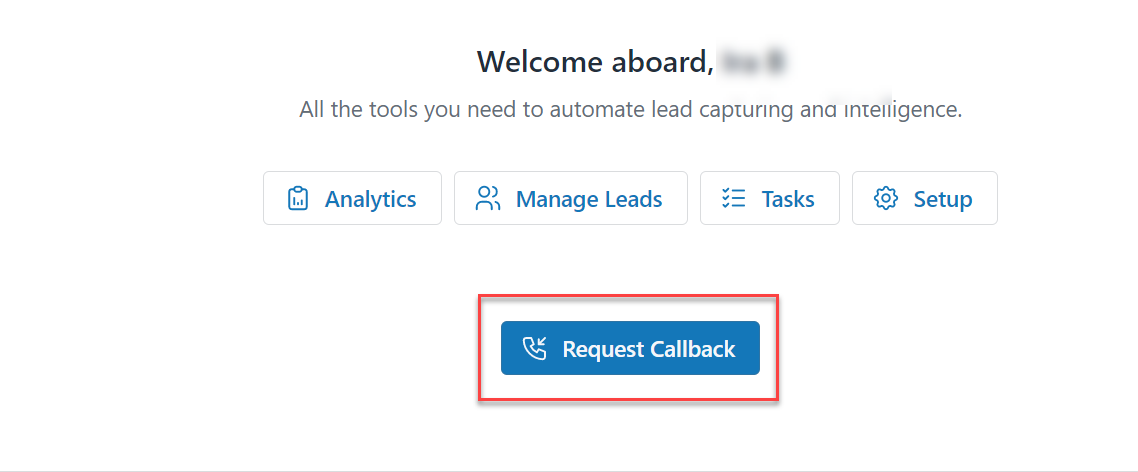
To set up an account with LeadCenter.AI, do the following;
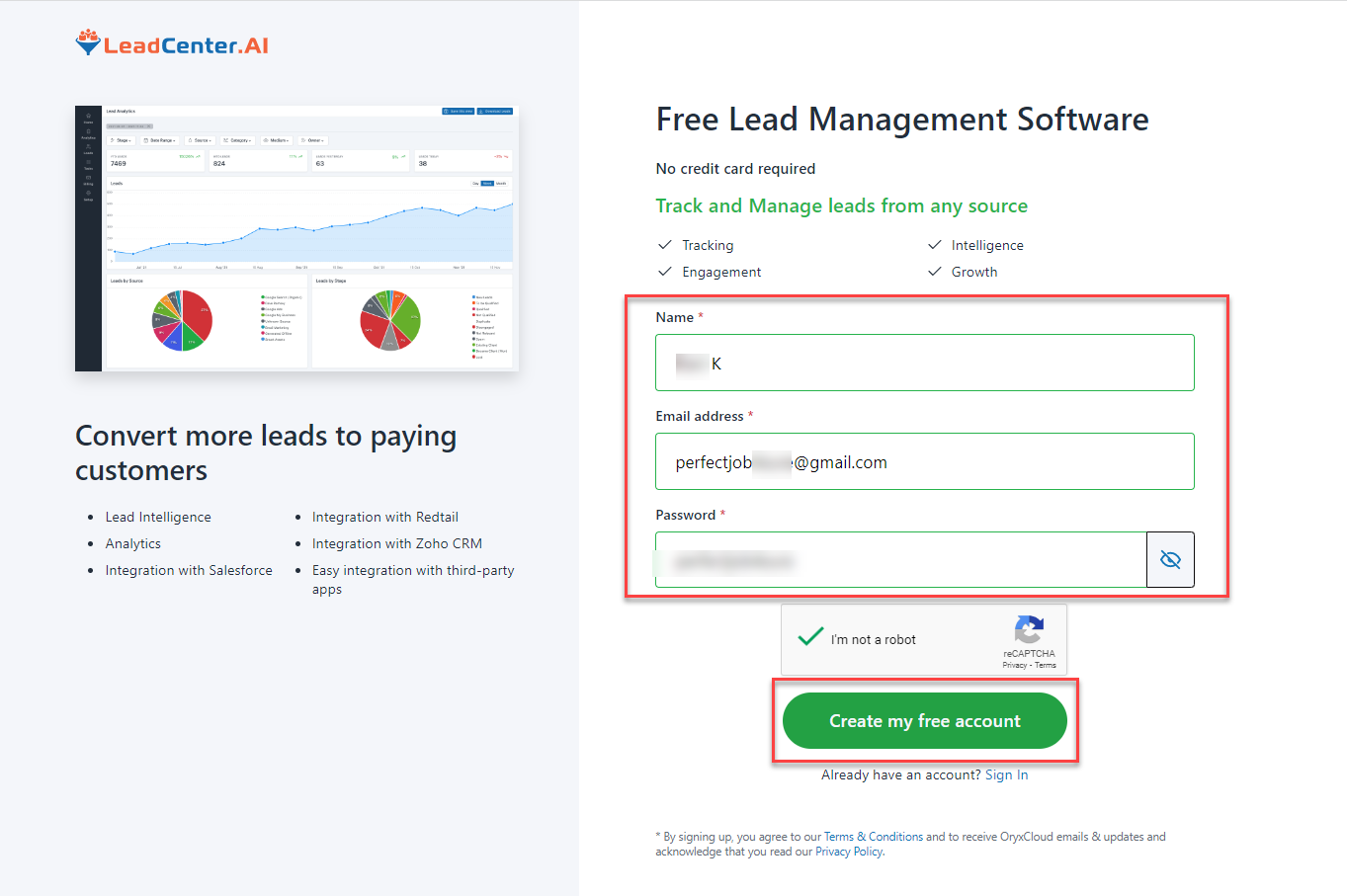
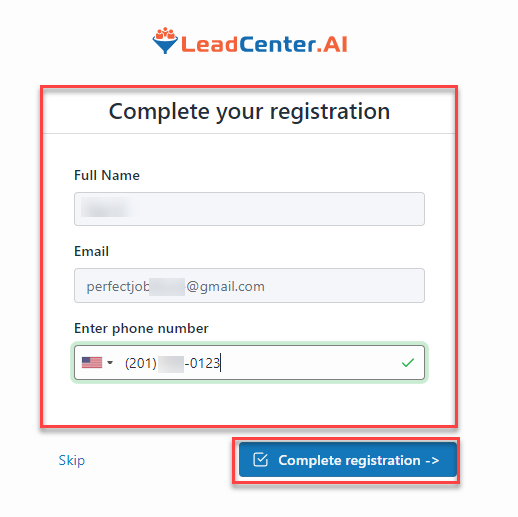
You have successfully set up your account.
LeadCenter.ai is an Integrated Sales and Marketing platform to help medium and small service businesses build a website, generate and manage leads, book appointments, sell and receive orders online at an affordable price.
Did you know that LeadCenter.ai helps you to measure and analyze your business data by giving you graphical analytics reports about your business functions? The LeadCenter.ai Analytics feature analyses your data for website visits, lead generation, orders, and appointments that help you to stay ahead of the crowd, by streamlining your operational processes. LeadCenter.ai provides further assistance for website development and digital marketing services.
As any entrepreneur already knows for a fact that there is a lot more involved in a business than just the idea. To get started on your new venture as an entrepreneur the first thing you need to do is build your own website. Once you have made your presence online, the next step is marketing and in today’s digital world Digital Marketing is what you need to grow your business online across the world. There are all other challenges attached to Online business like advertising, managing leads, communicating, selling online, and analyzing business data.
But as you know there are too many complex and expensive tools in the market to Build and Manage an Effective Business Online. LeadCenter.ai System gives you the solution by connecting your Marketing, Sales, and Services tools to a unified Lead Management(CRM) Database system.
LeadCenter.AI helps you to set up your business online by helping you build your website on your own without coding or design. You can also generate and capture leads and convert them, get paid for your online services and get insight and control.
