

How Can We Help?
-
Getting Started
-
Managing Users and Notifications
-
Configuring Email Settings
-
Configuring Lead Capturing and Tracking
-
Configuring Lead Management
-
Configuring Lead Engagement with Workflows
-
Daily Management of Leads and Sales Engagement
-
Using LeadCenter.AI for Marketing
-
Building Forms
-
Getting Started
- Introduction to LeadCenter.ai Website Builder
- Domain Setup and DNS Records for your Website
- Website Themes: How to change your website template
- Customizing Website Header and Footer
- Website Pages: Adding and Deleting Pages to Your Website
- Menus: Adding, Deleting, and Organizing Menu Items in your Website
- Blog List: Manage Blog and Articles in Website
- Creating Landing Pages without Website Header and Footer
-
Page Designer Tool
-
Advanced Styling, Coloring, and Typography
-
Advanced Coding for Developers
-
Configuring Calendars and Appointments
-
Integration with Zapier to push leads to other CRM using Zapier
-
Integration with Redtail
Print
Posted
LeadCenter.AI basic settings section allows users to update their business details and related information.
Adding the Business Details
To add the business details information, do the following;
- On the LeadCenter.AI, go to Setup > Account Info
The Business Details page is displayed. - Enter the required information, see the table below.
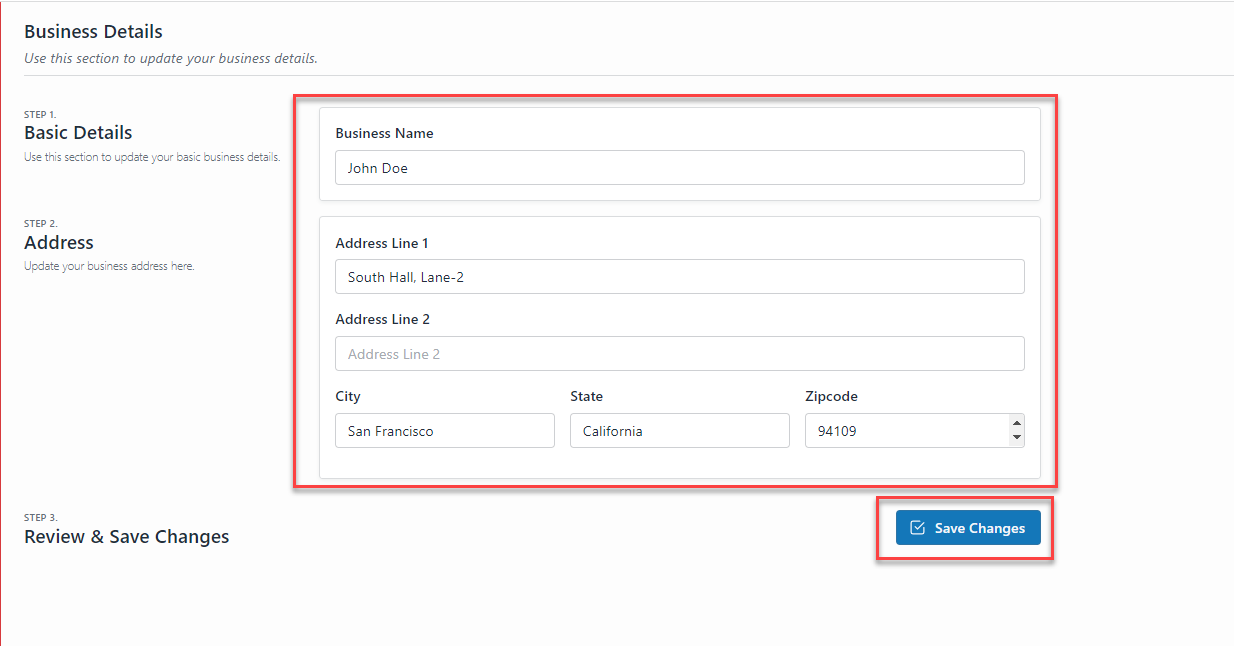
- Click the Save Changes button, to save the changes.
| Field | Description |
| Business Name | Enter the name of your business for example; LeadCenter.AI |
| Type | Select the type of Business ; Individual or Business( where there is multiple partners involved in the business) |
| Line of Business | Select the line of business from the drop-down list. |
| Your Website | Enter your business website for example; https://www.example.com |
Table of Contents